Redesign IMDb
Elevating IMDb’s browsing experience by applying research‑driven UX principles to create a clearer, more intuitive journey.
Great content shouldn’t feel exhausting to explore.
IMDb has been my go‑to for movie research for years, but revisiting it with a UX lens revealed a surprising truth: the experience feels overwhelming long before the information does. This project reimagines IMDb with clearer structure, smoother navigation, and a more intuitive path to discovering what to watch.
I found myself lost in cluttered sections and unclear labels.
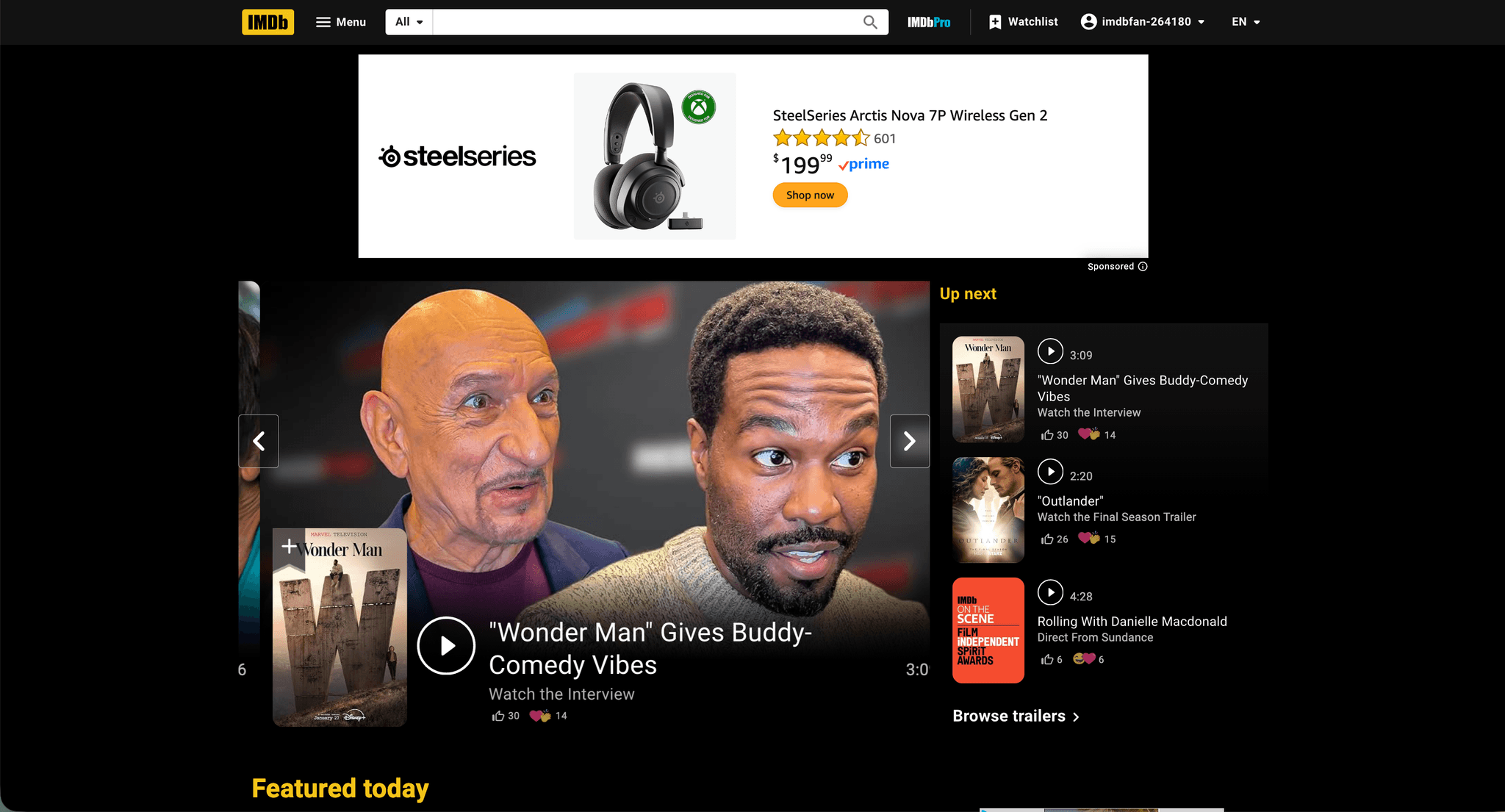
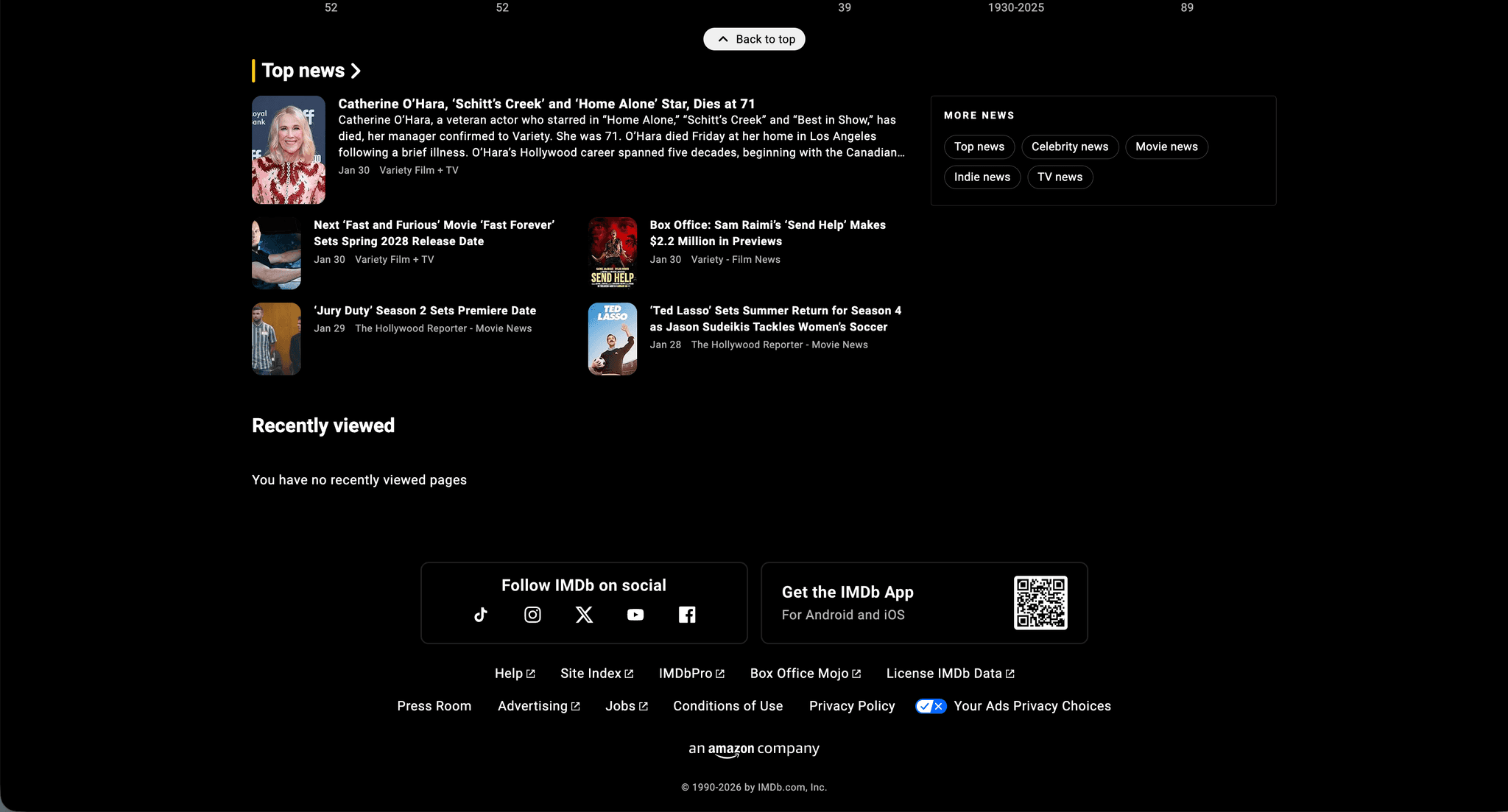
Despite being a trusted resource for movie lovers, IMDb’s dense layout, unclear wording, and long scrolling make essential information hard to find. Ratings, lists, and key details often get buried in clutter, leaving users distracted instead of supported. This gap between valuable content and a tiring interface is the core problem this redesign addresses.
Below are IMDb's original look
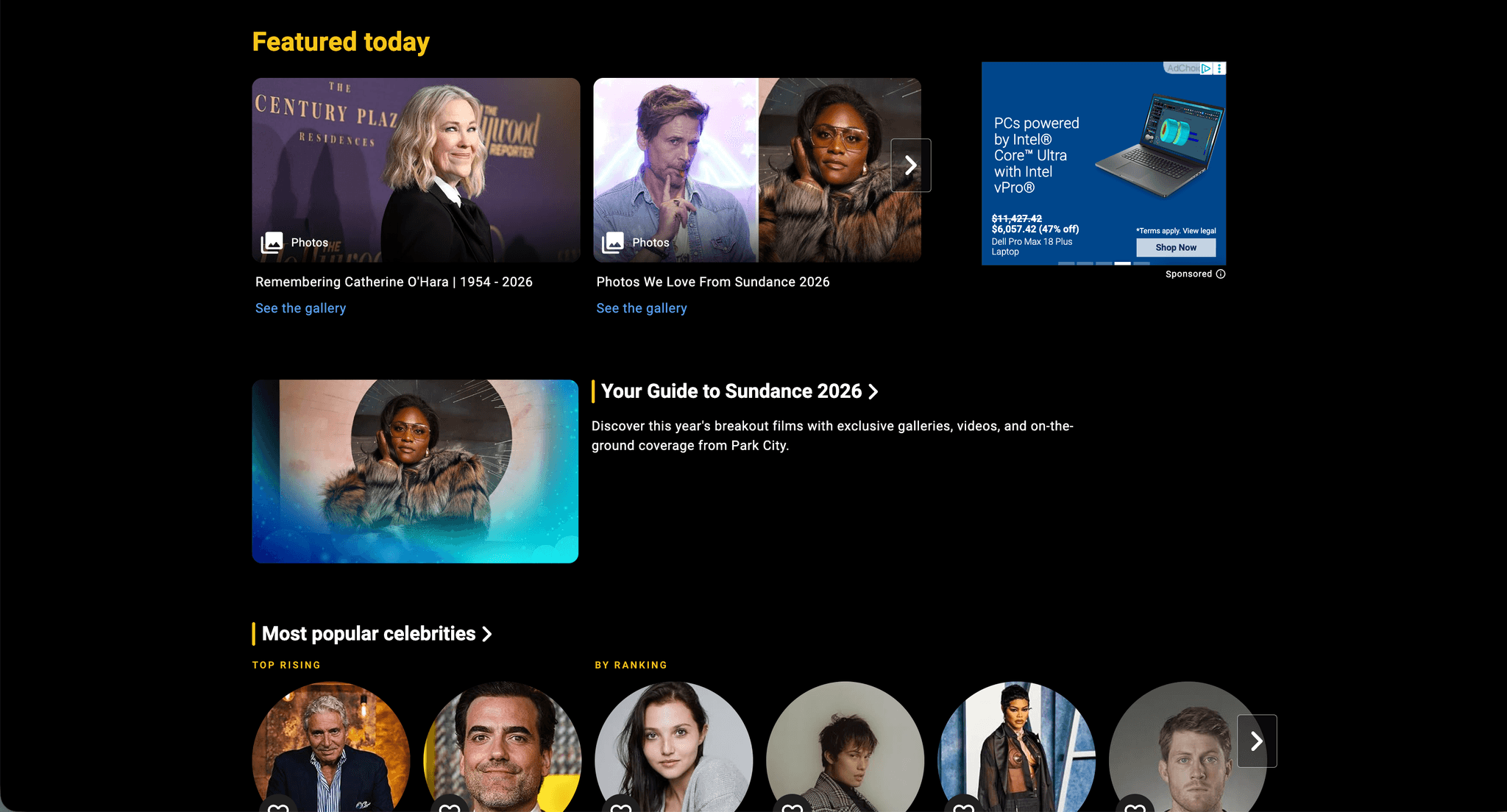
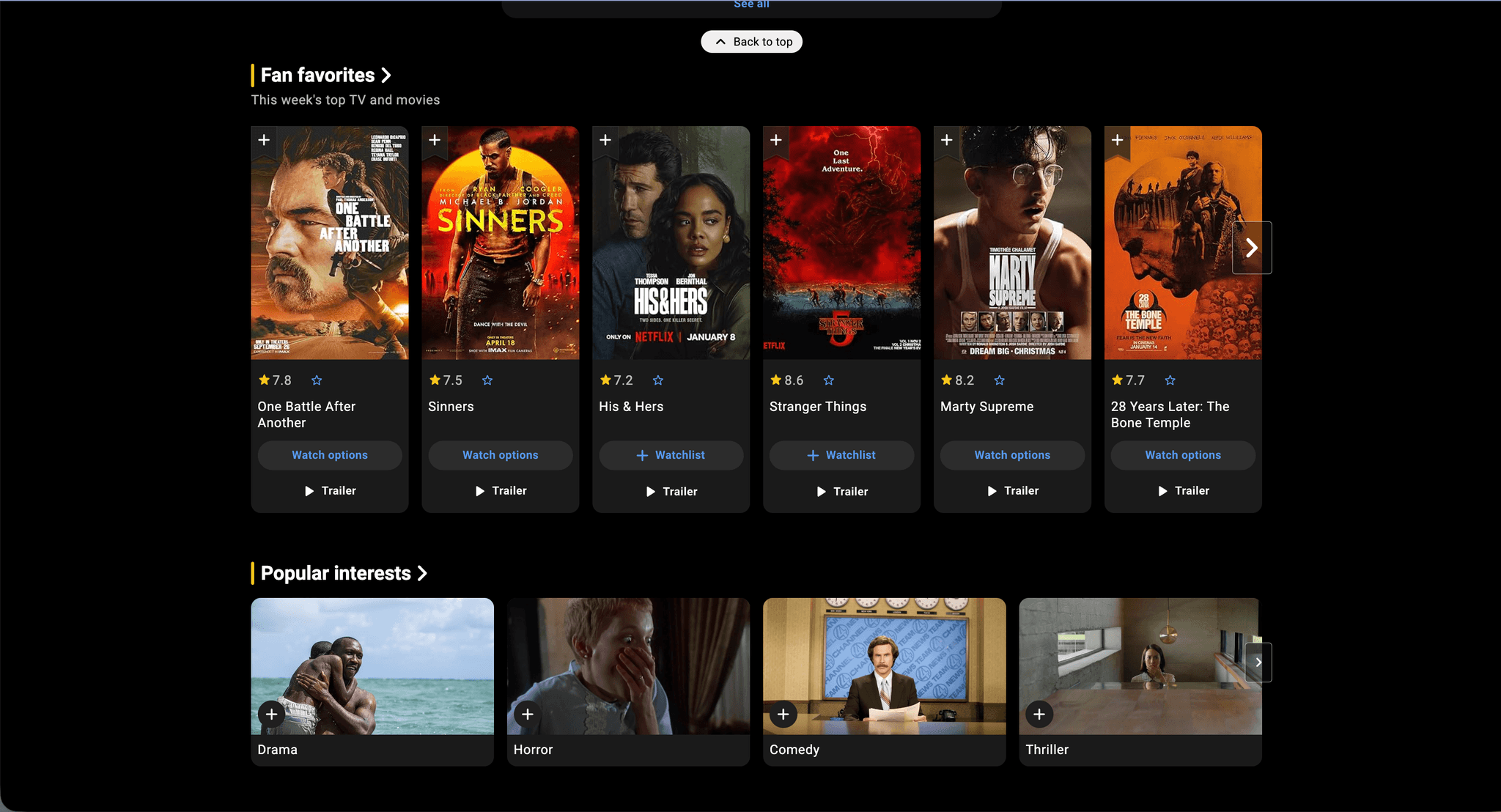
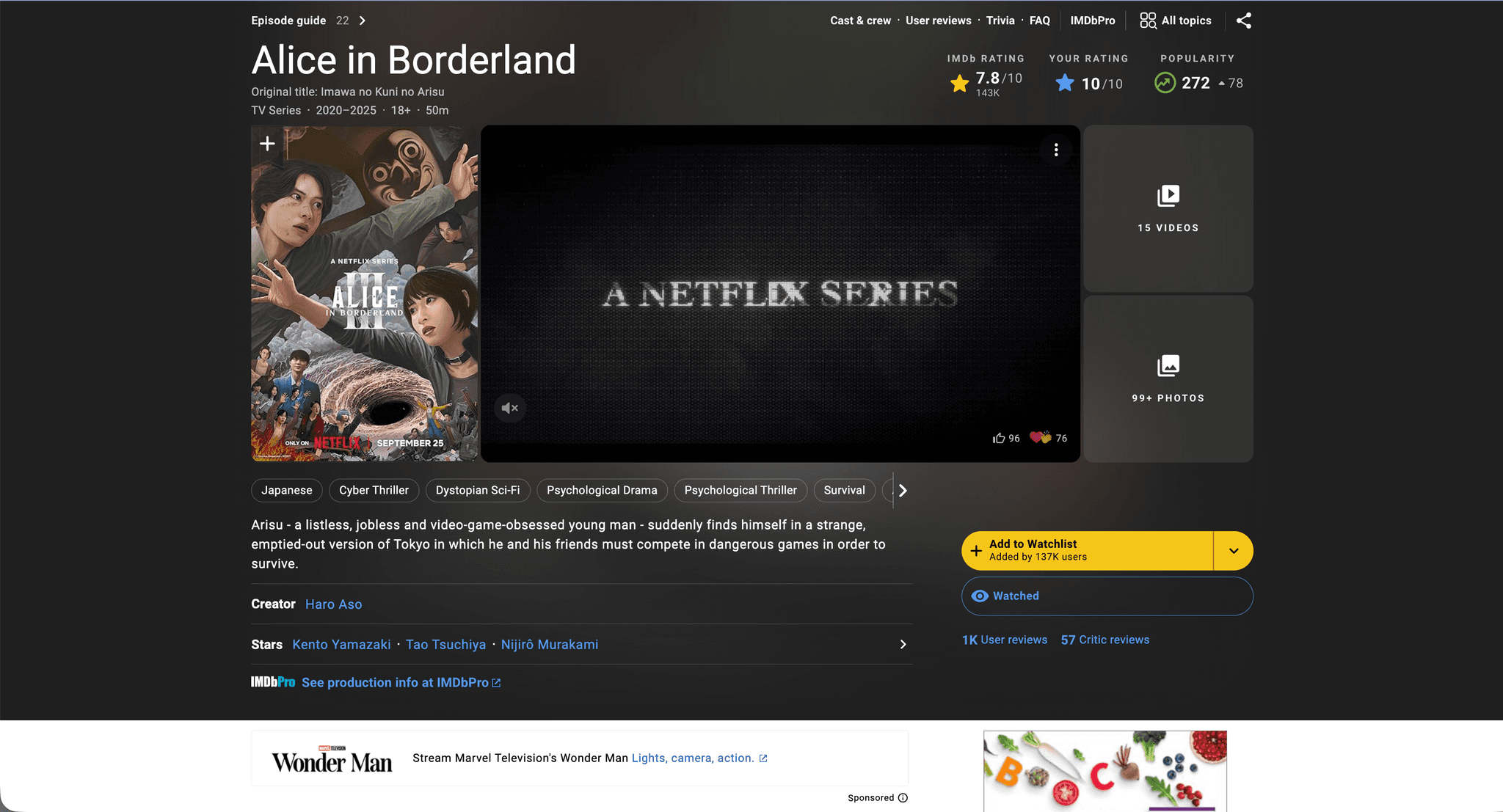
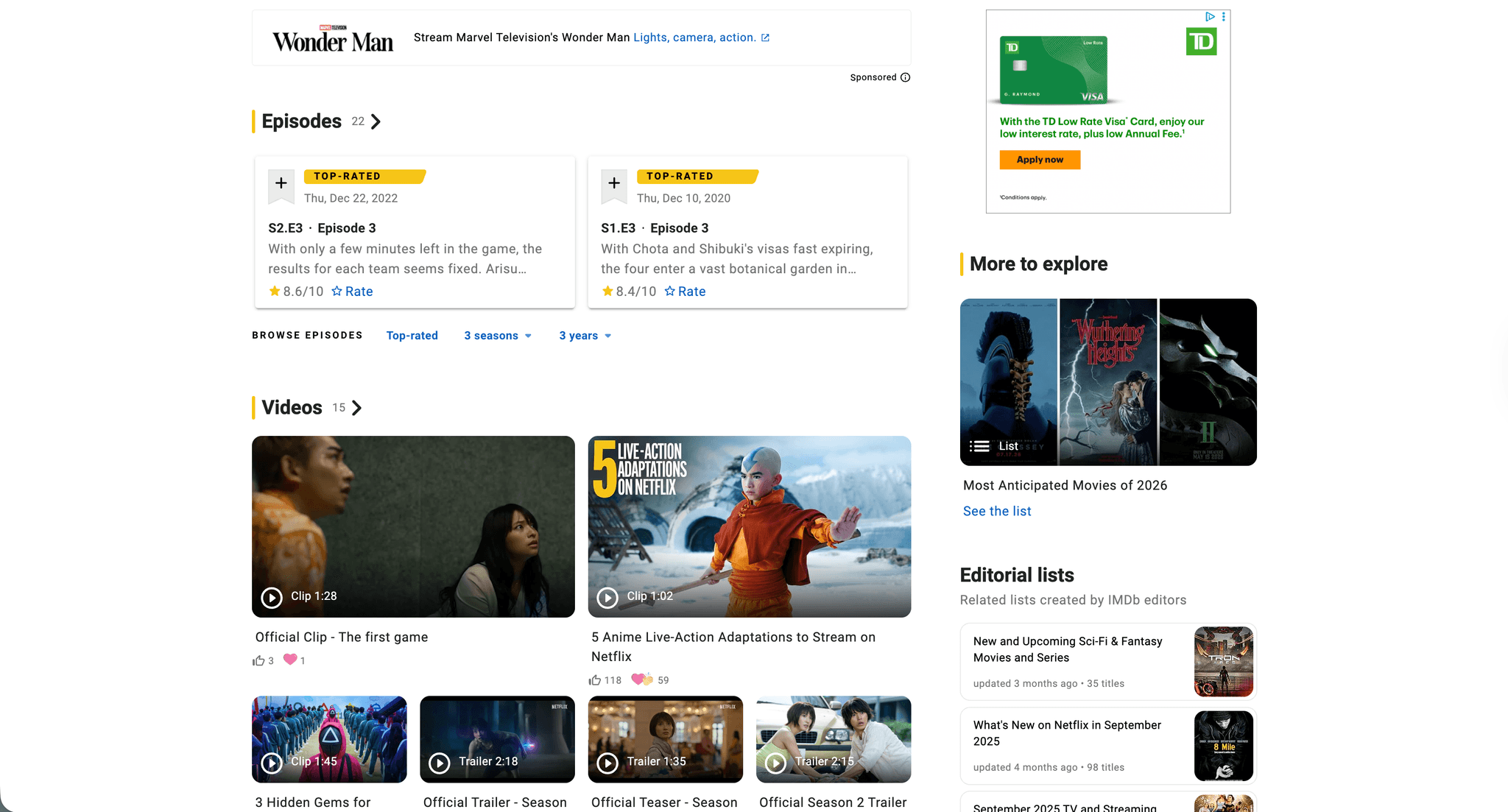
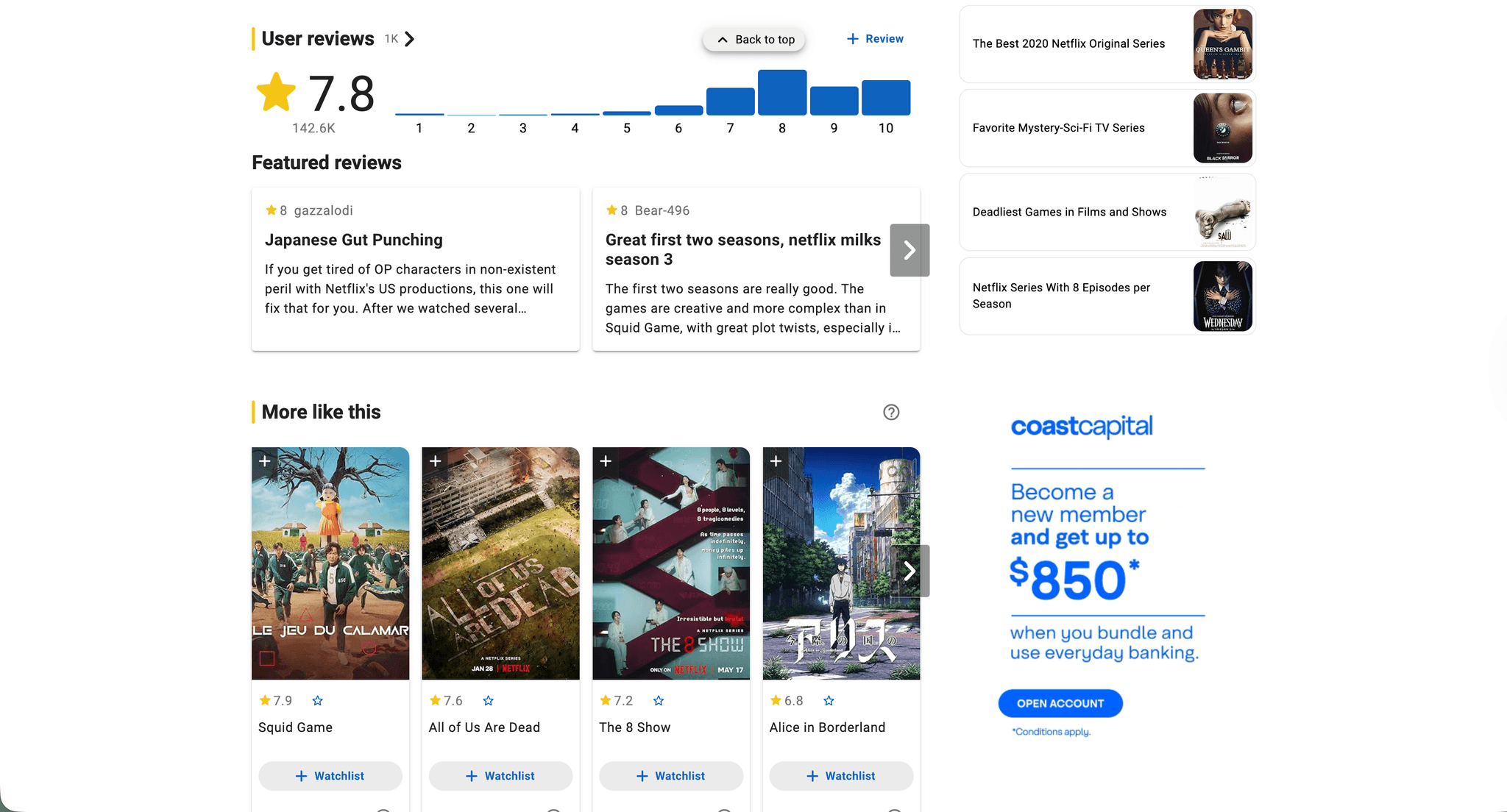
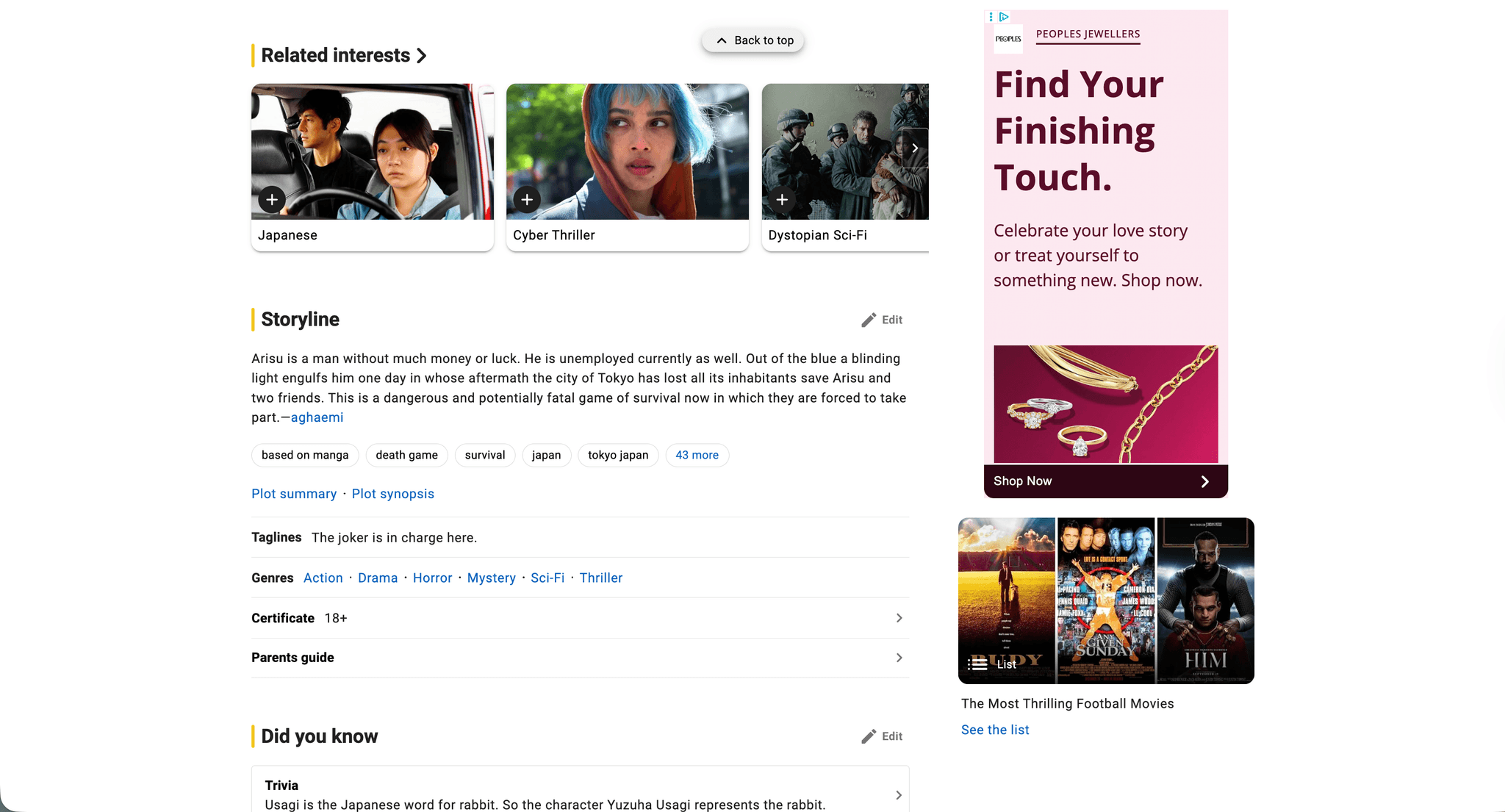
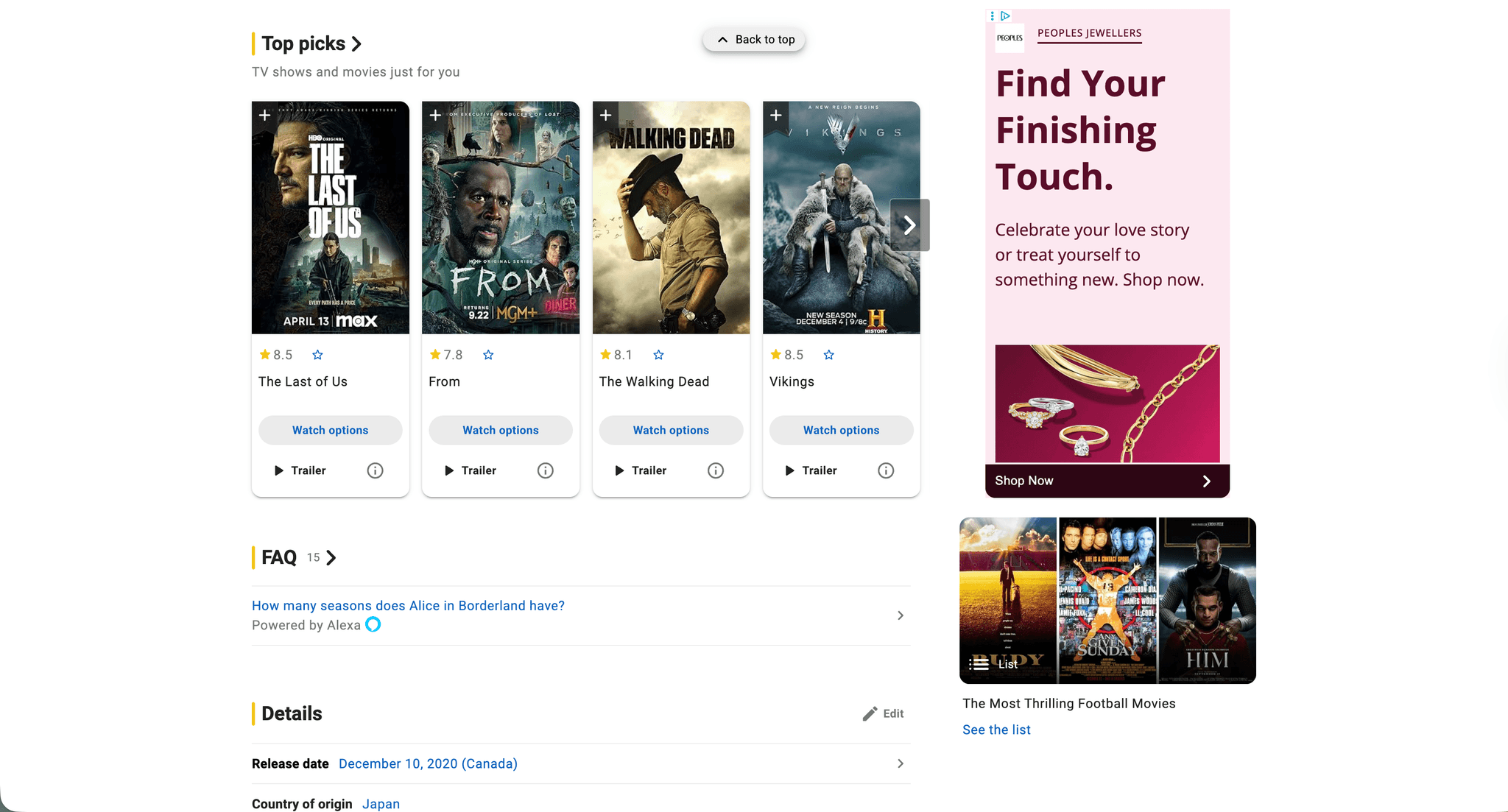
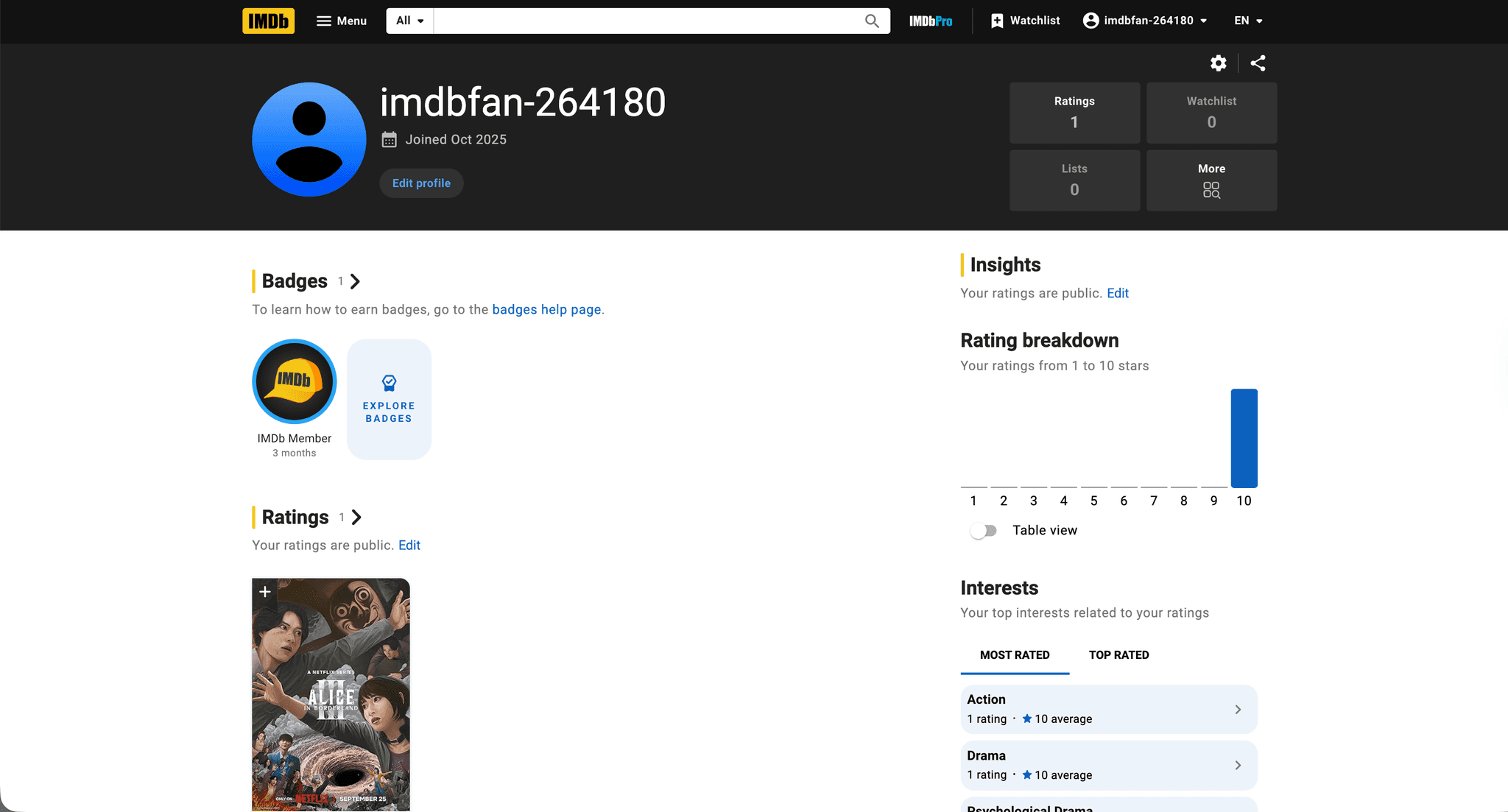
Before jumping into design, I wanted to get a full picture of what was going on.
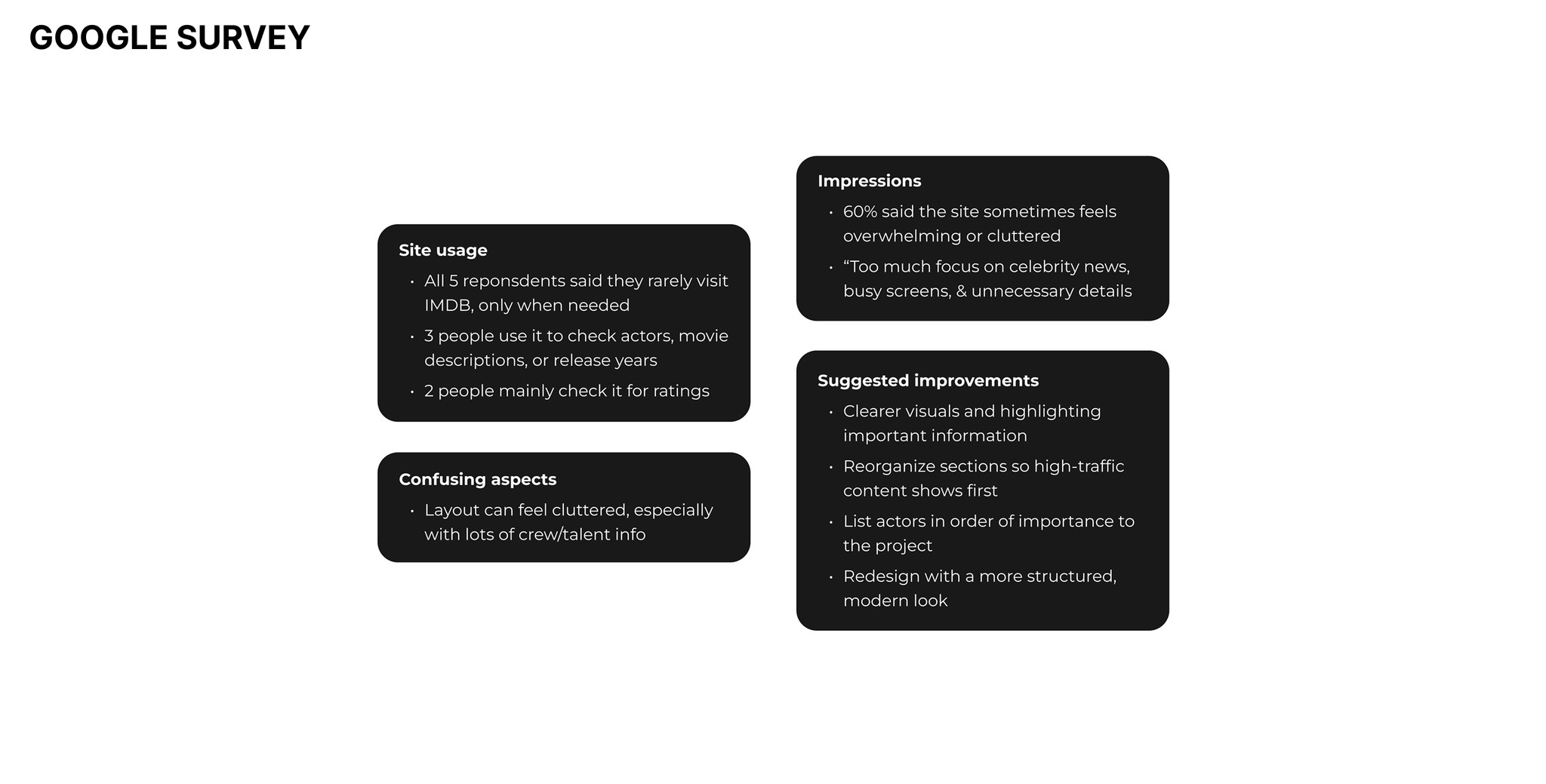
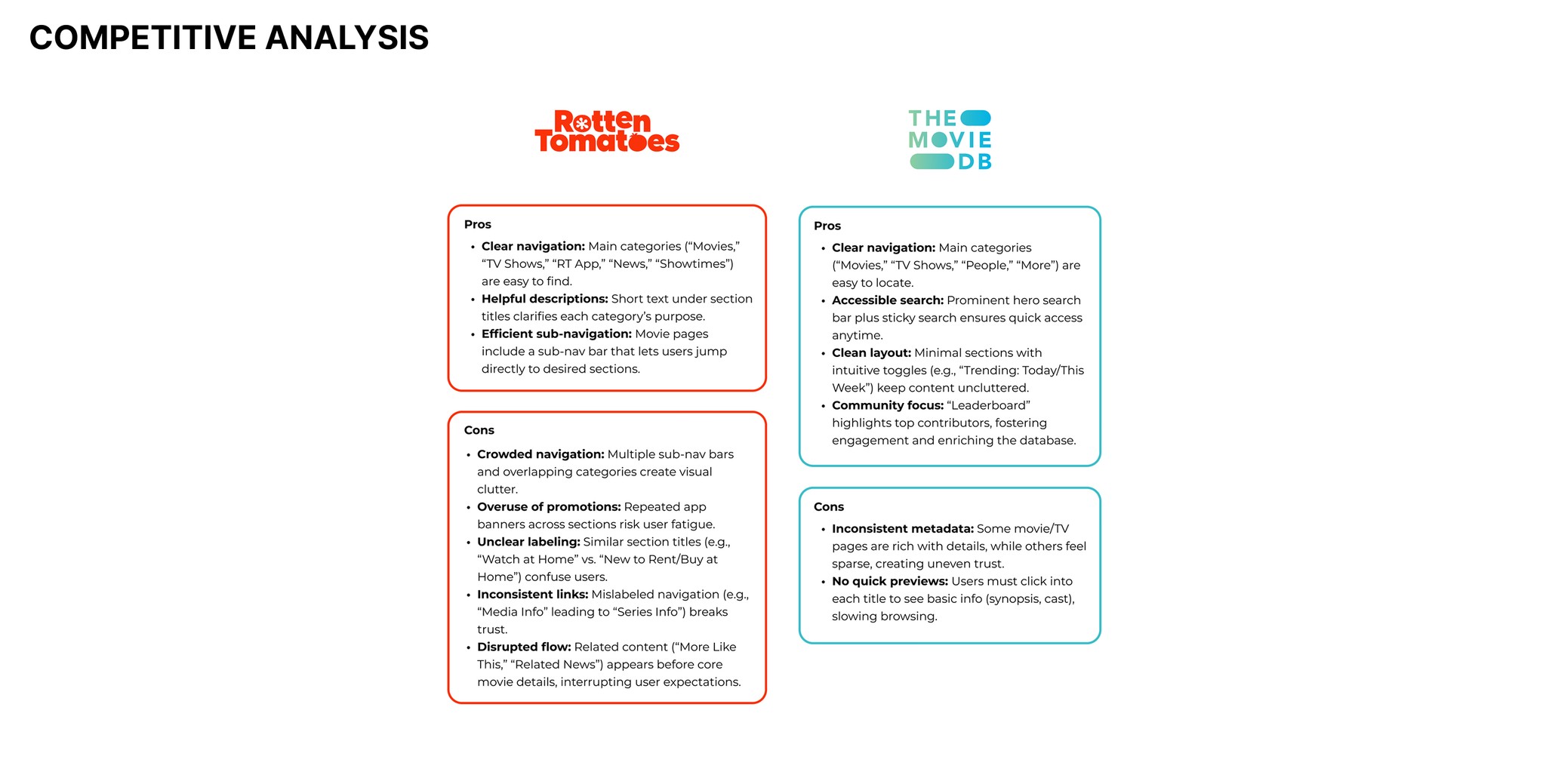
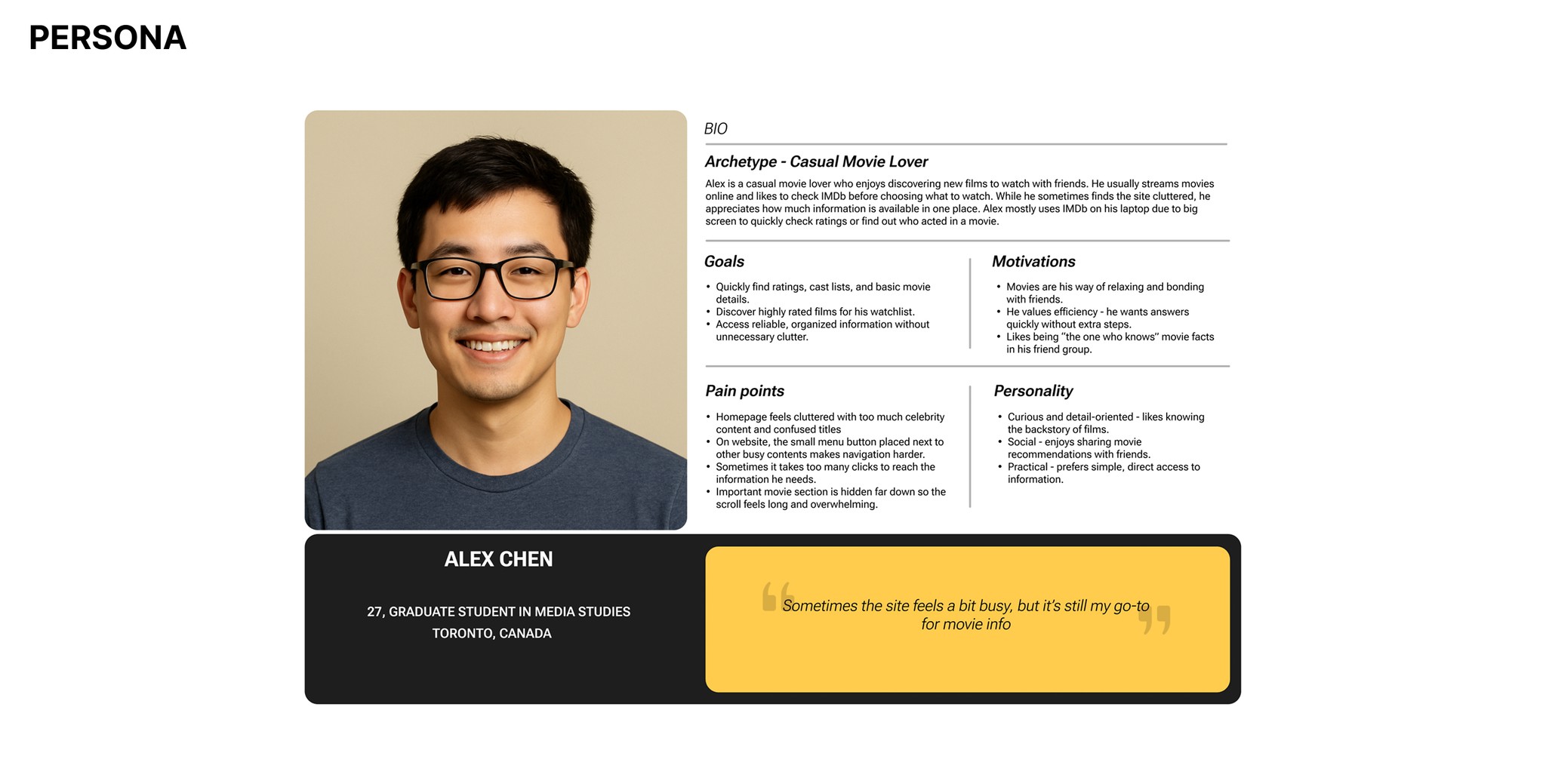
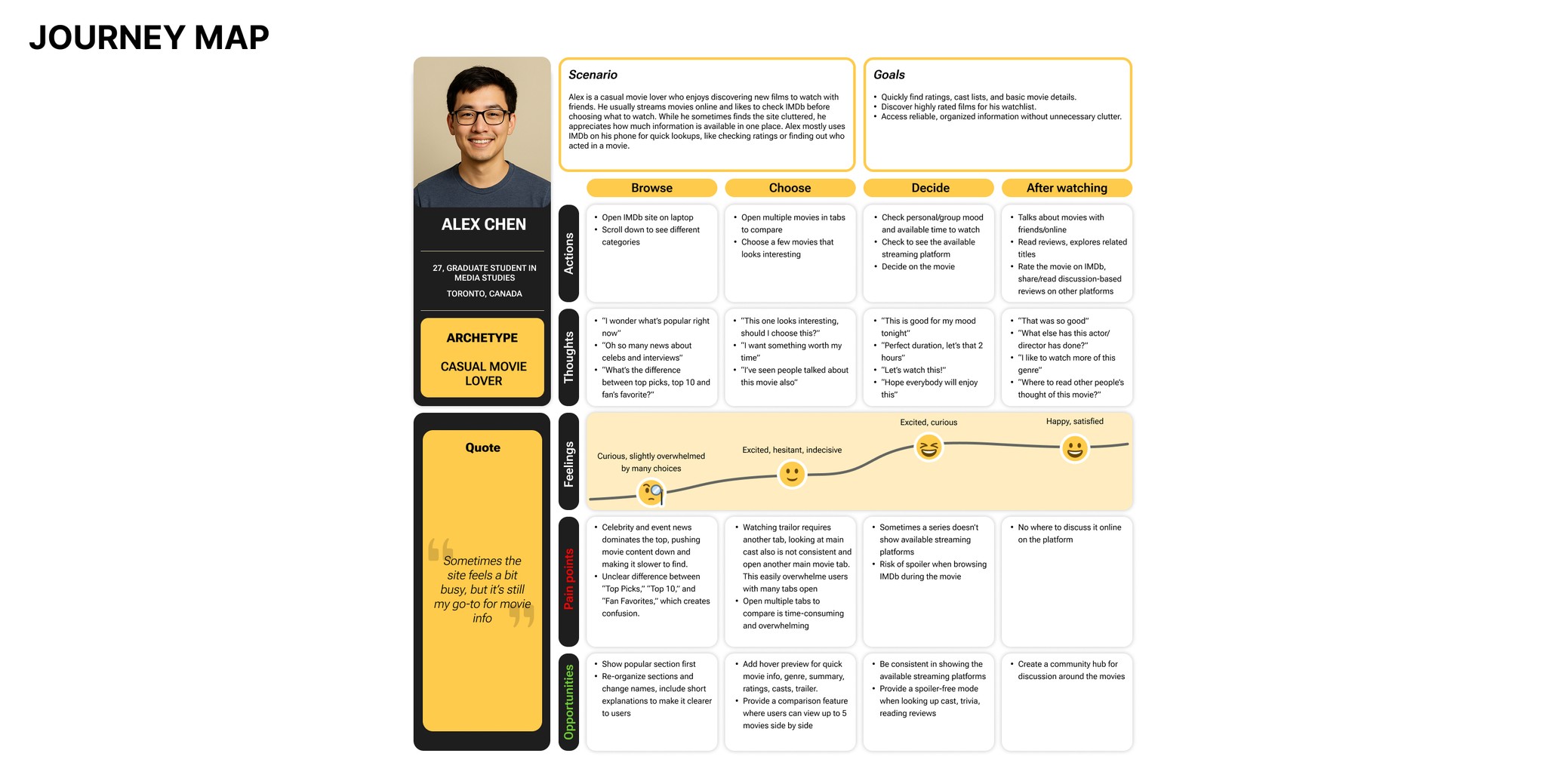
I ran a Google survey, studied competitors, created personas, and mapped out tasks and user journeys to see where things were breaking down. All of this helped me uncover the main pain points and the opportunities to make the experience clearer, smoother, and way more enjoyable for users.
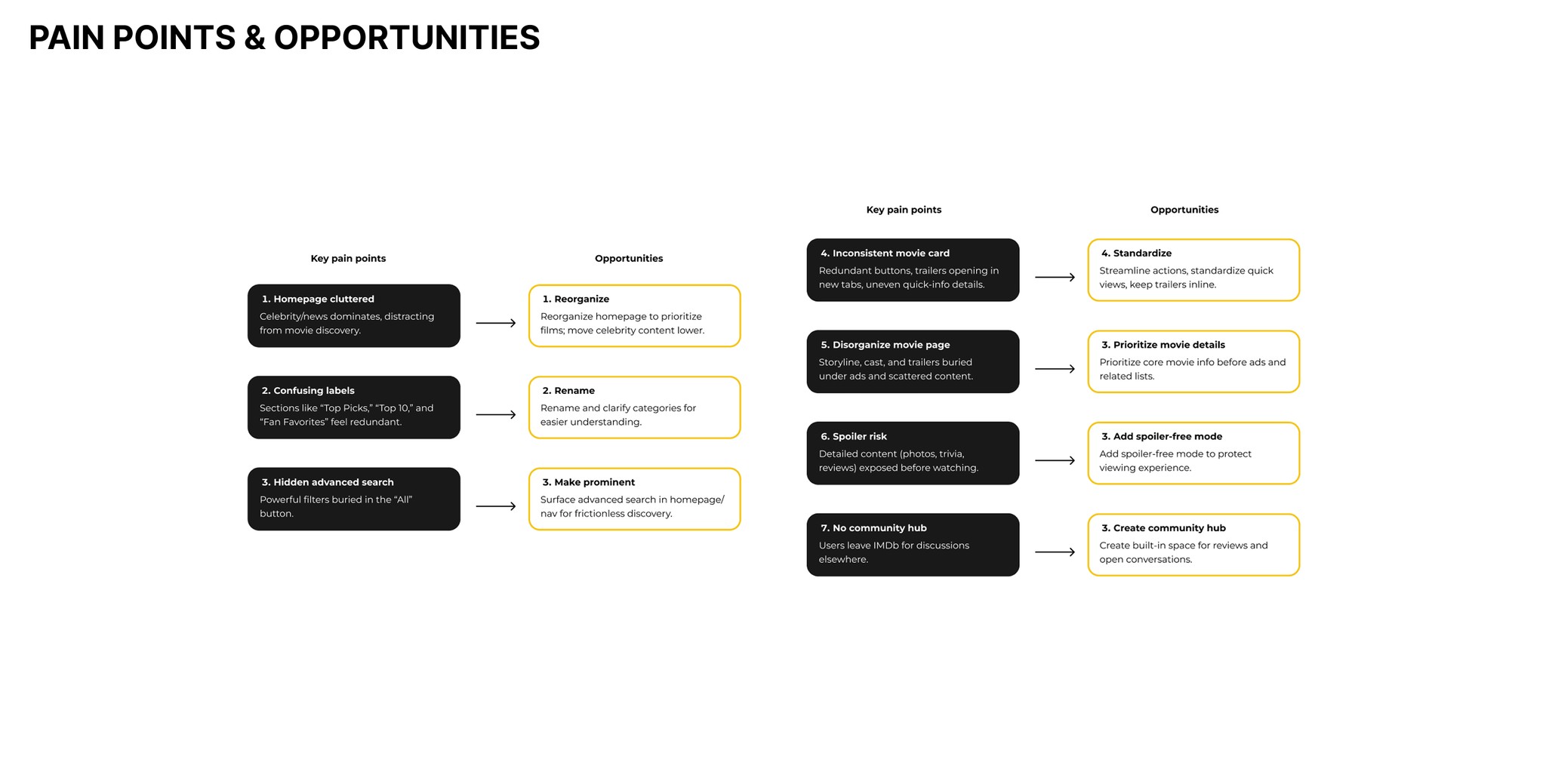
With the research done, I started shaping the new experience.
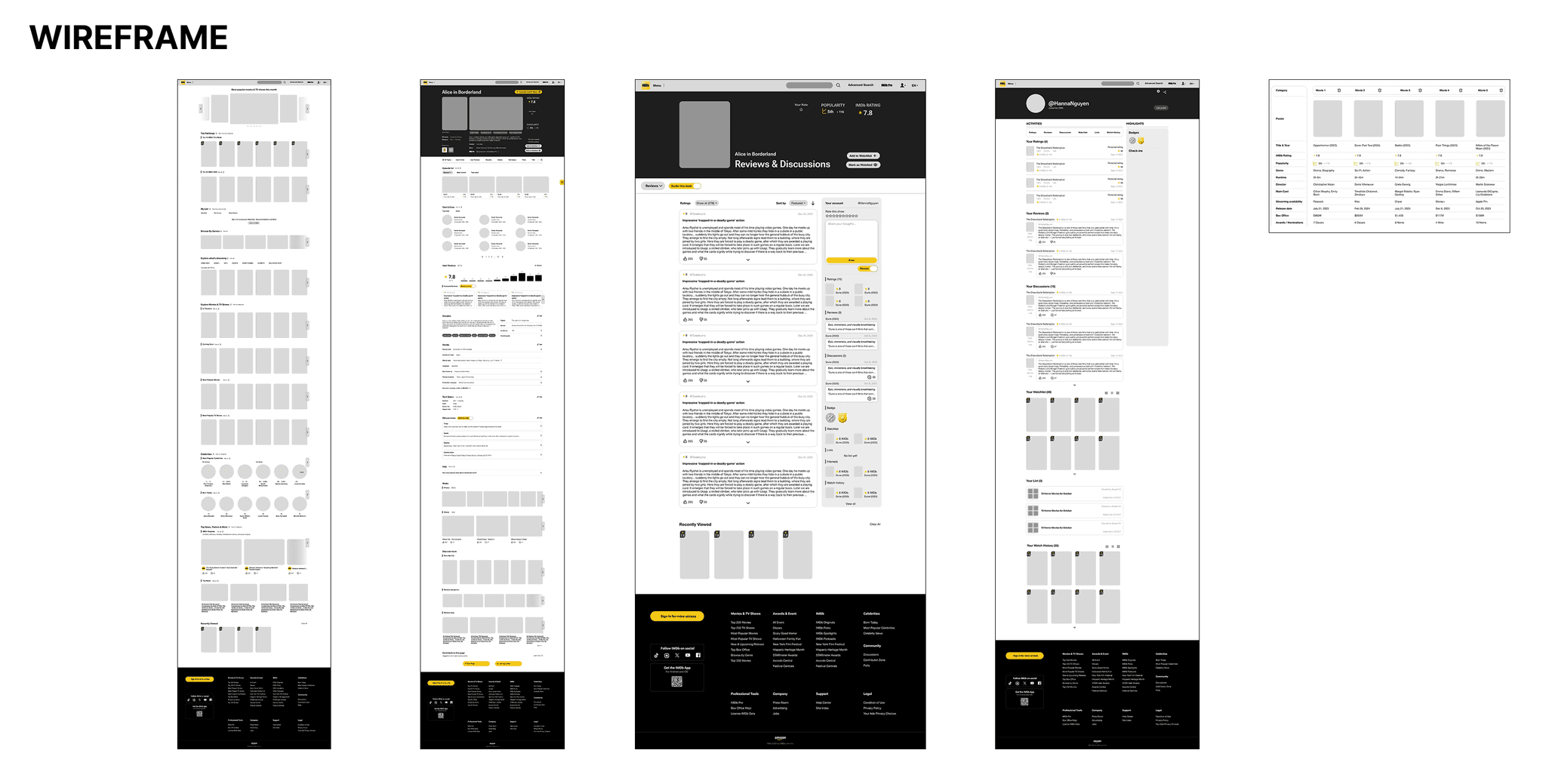
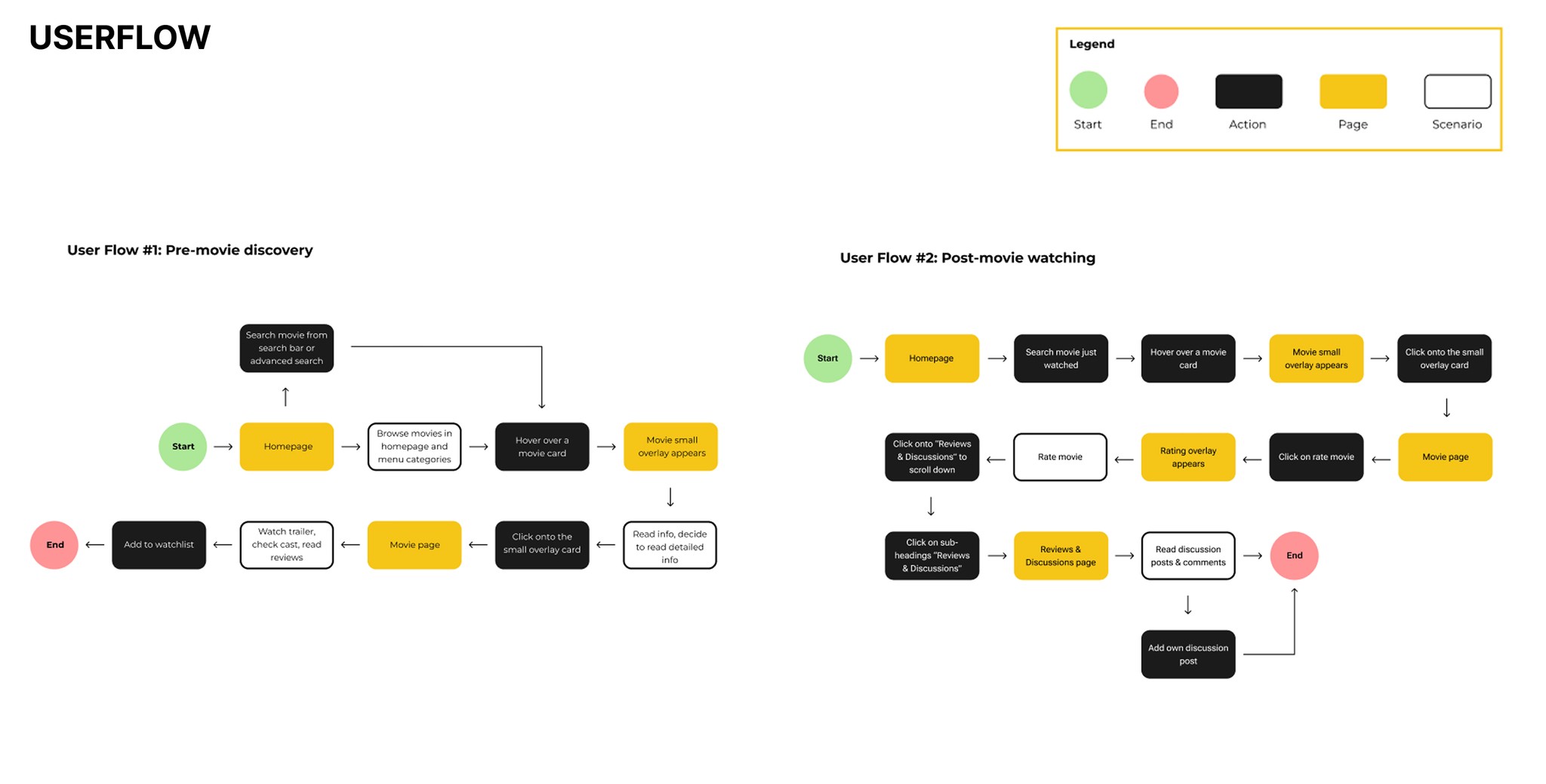
I began by mapping out the user flows to simplify how people move through the experience and make sure every step actually made sense. Once the flows felt solid, I moved into wireframing to explore layout, hierarchy, and structure without getting distracted by visuals. This helped me test ideas quickly and see how the improvements could come to life on the screen.
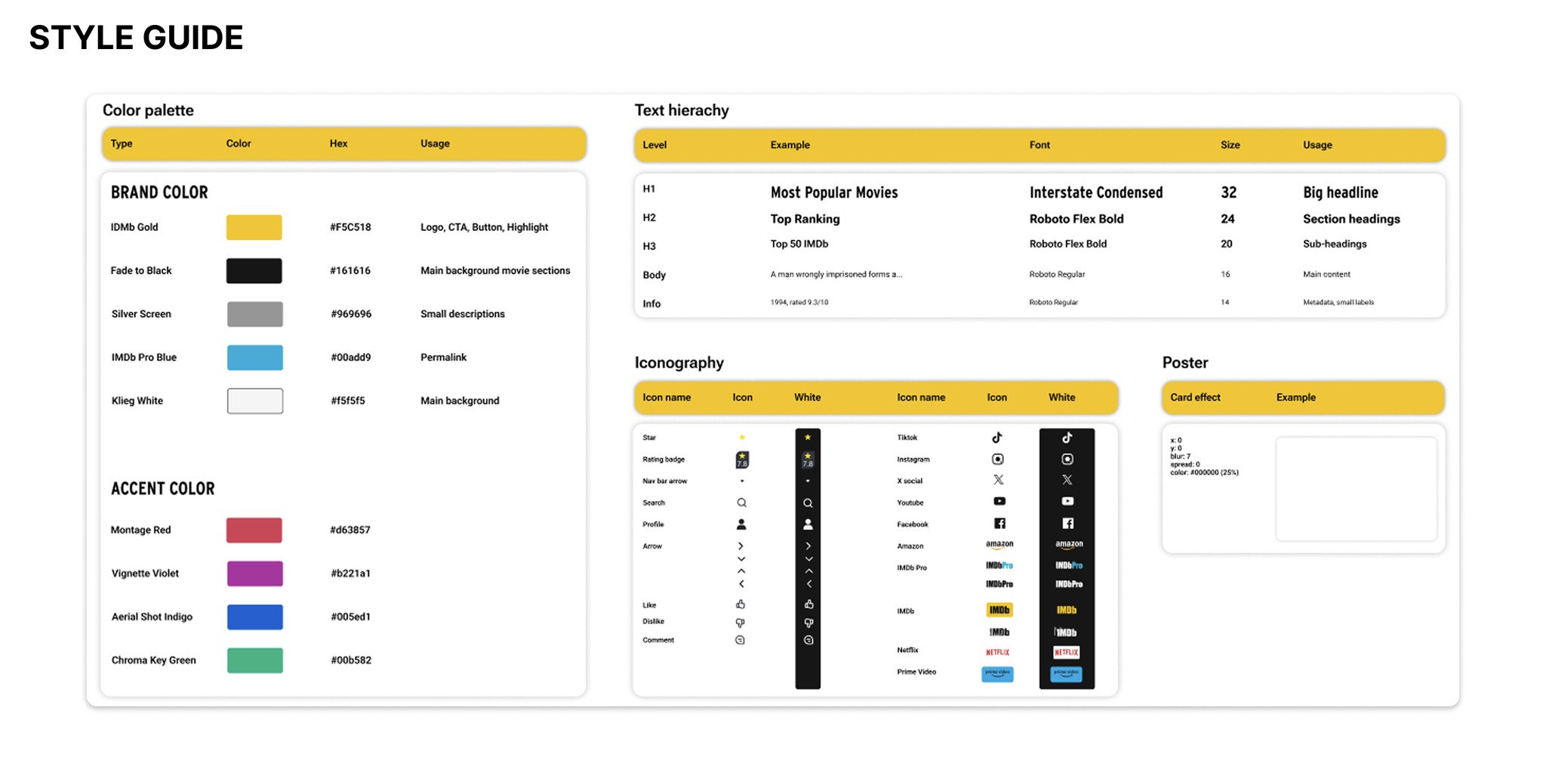
From there, I built a style guide to keep everything consistent as the design evolved by pulling from the brand’s existing guidelines, choosing close‑matching fonts when needed, and introducing new components where it made sense. Putting all of this together gave me a clear foundation for the final design and made sure the whole experience felt intentional, cohesive, and easy to use.
Turning the structure and strategy into a polished, intuitive final design.
In the hi‑fi stage, I focused on turning all the structure and strategy into a polished, intuitive final design. A big part of this was reorganizing the content so the flow felt more natural and less confusing, reducing the mental load and making it easier for users to move through each section without second‑guessing where to go next.
I also introduced a more intentional use of color to help group related content and separate different types of information. Using principles like contrast, hierarchy, and visual grouping, the colors act as subtle cues that guide the eye and make the layout easier to scan. Combined with cleaner spacing and more consistent patterns, the final design feels lighter, clearer, and much more user‑friendly.
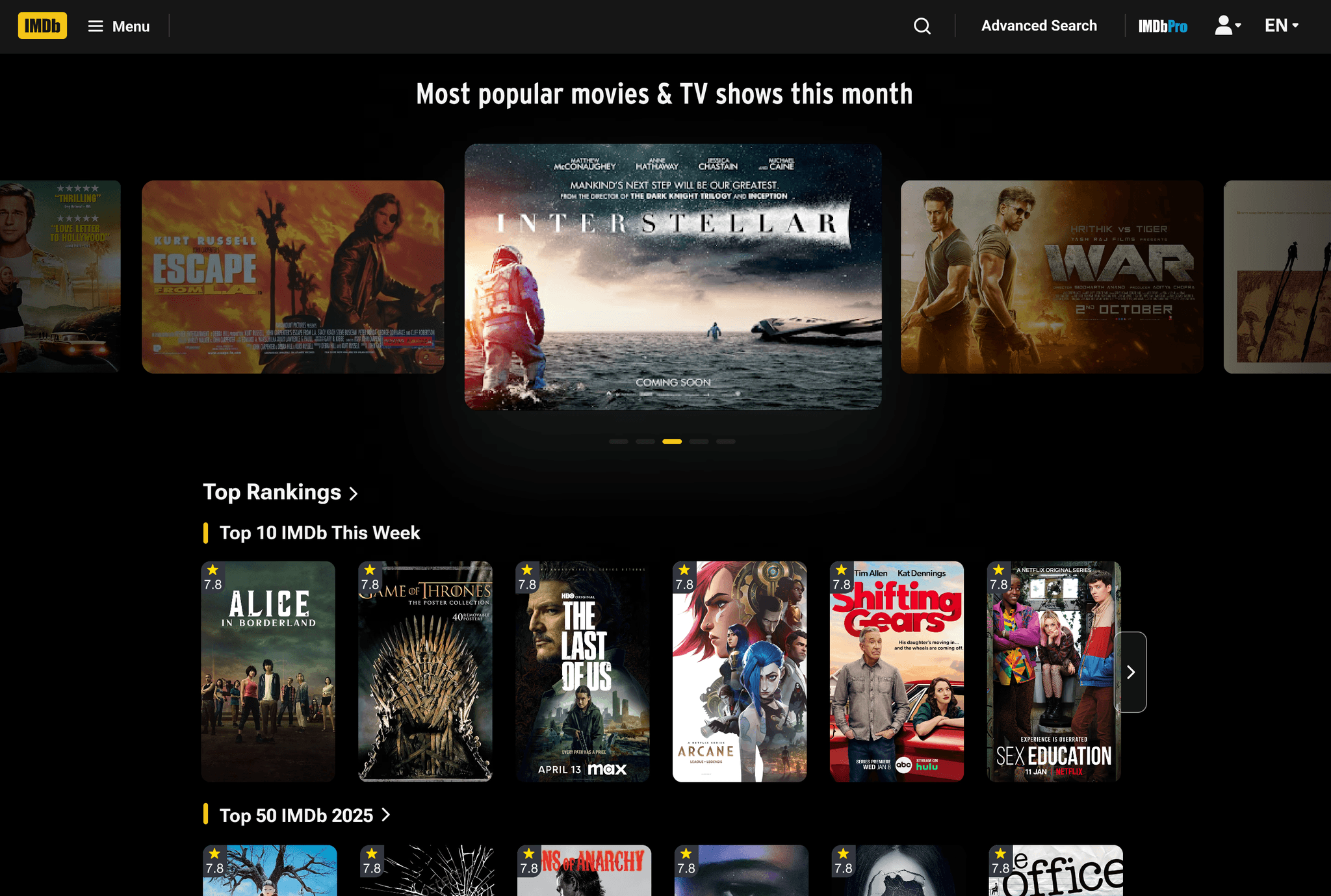
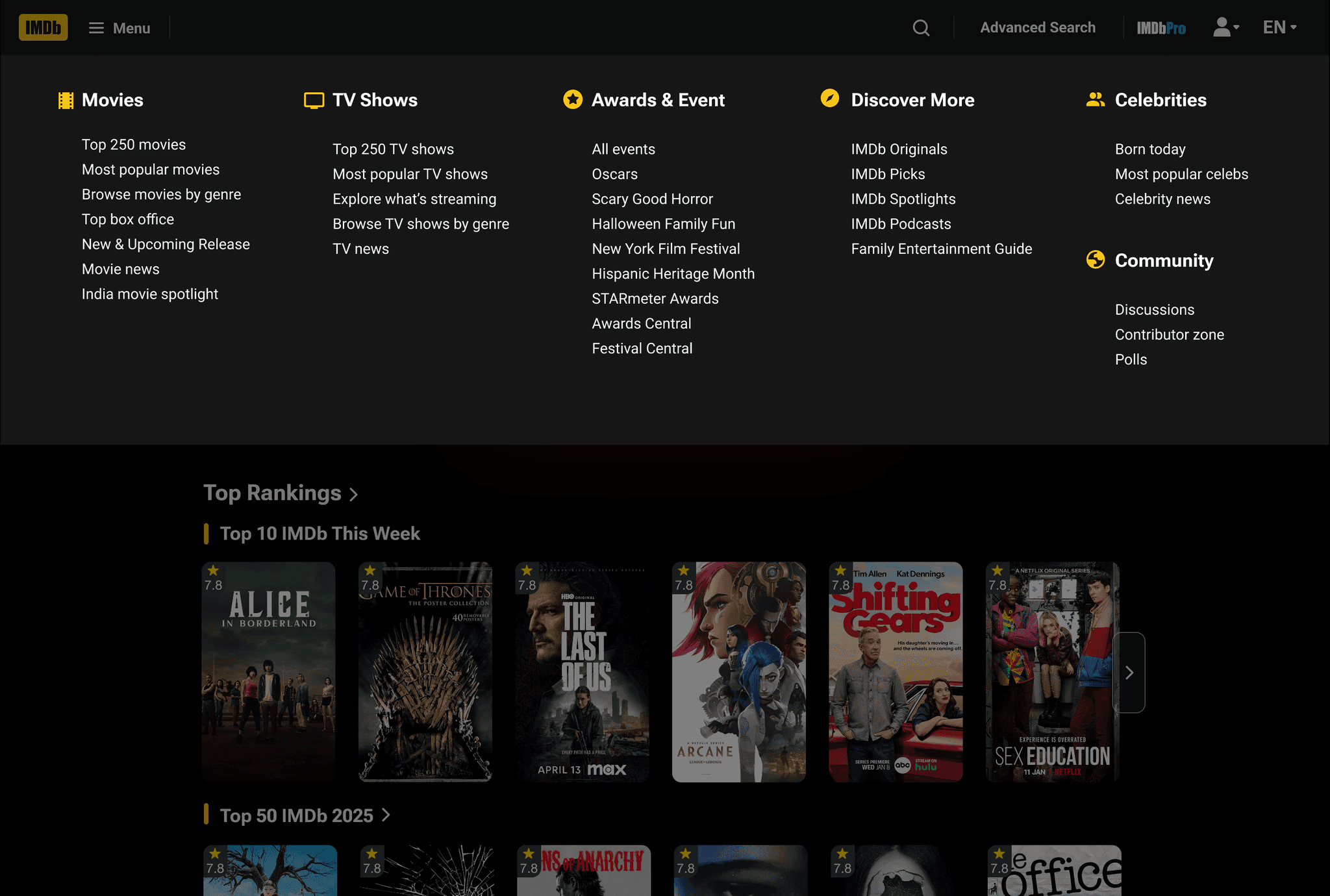
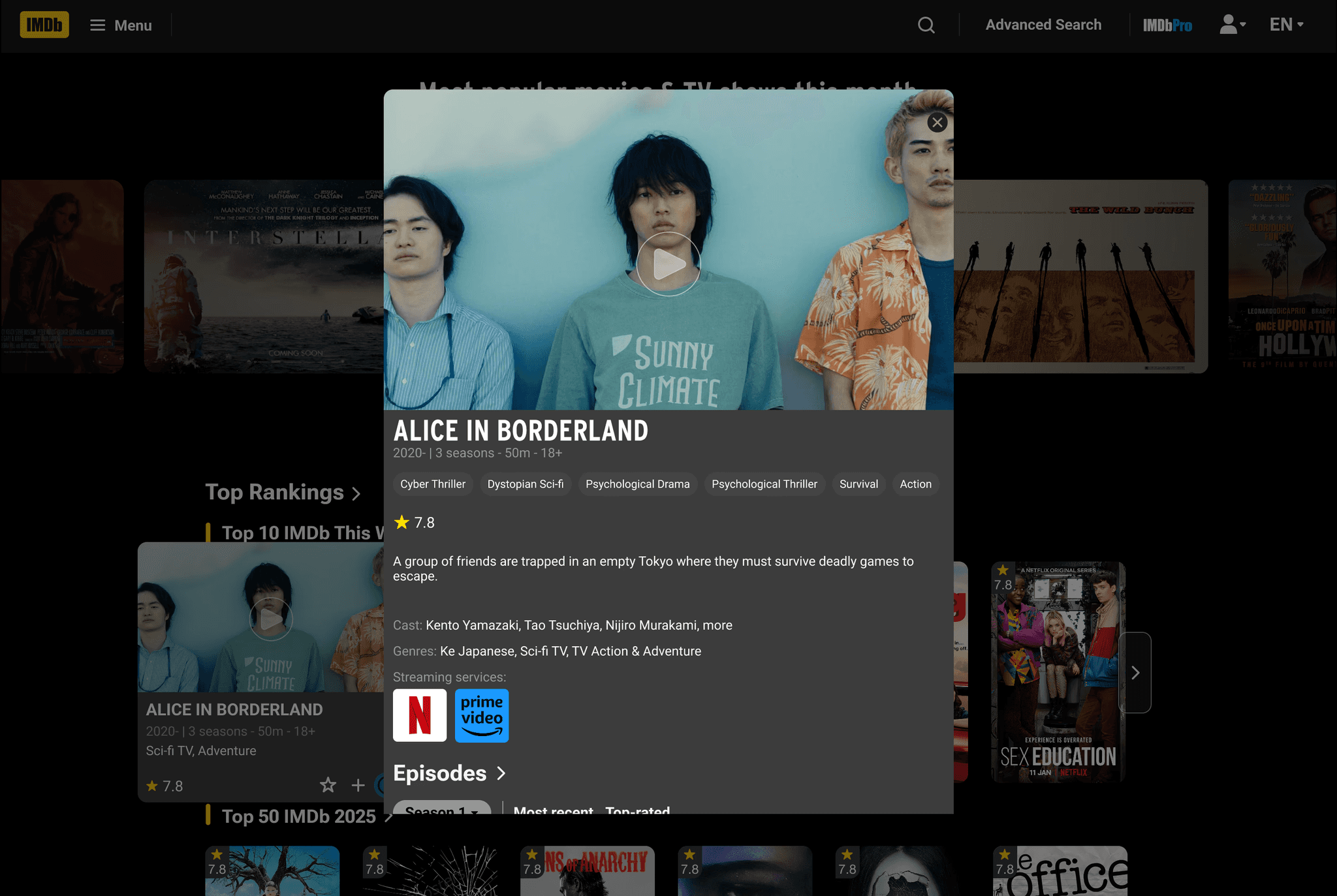
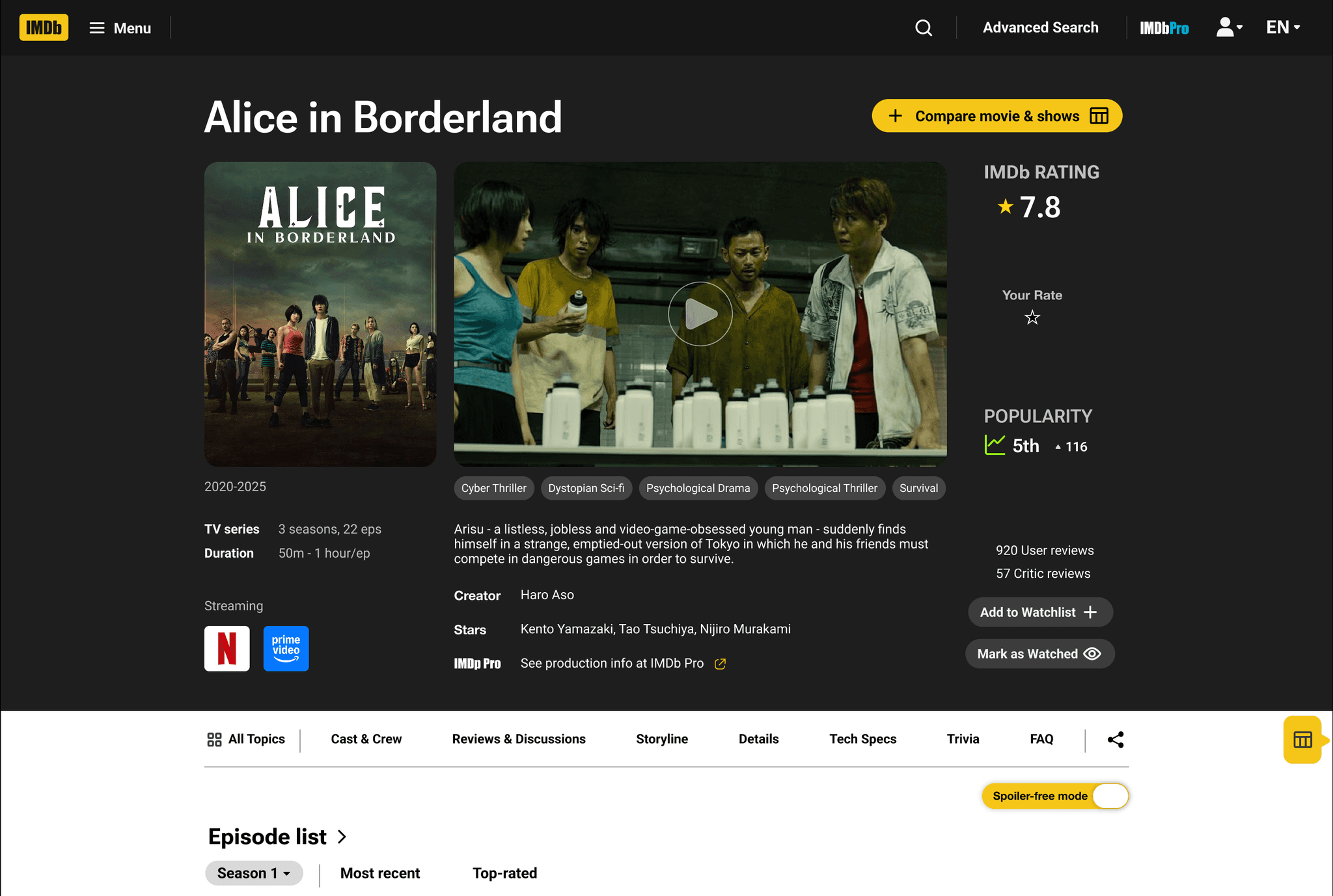
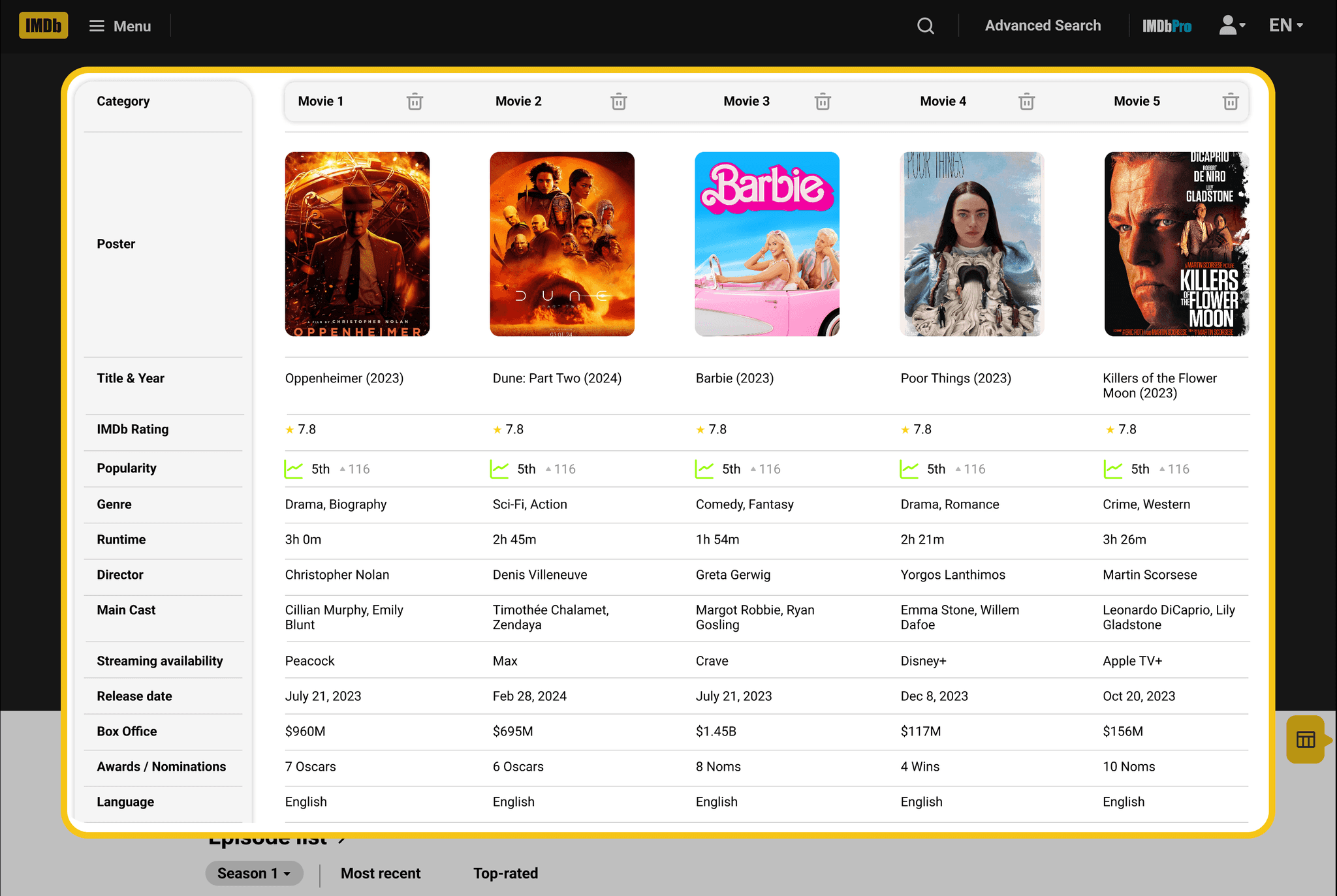
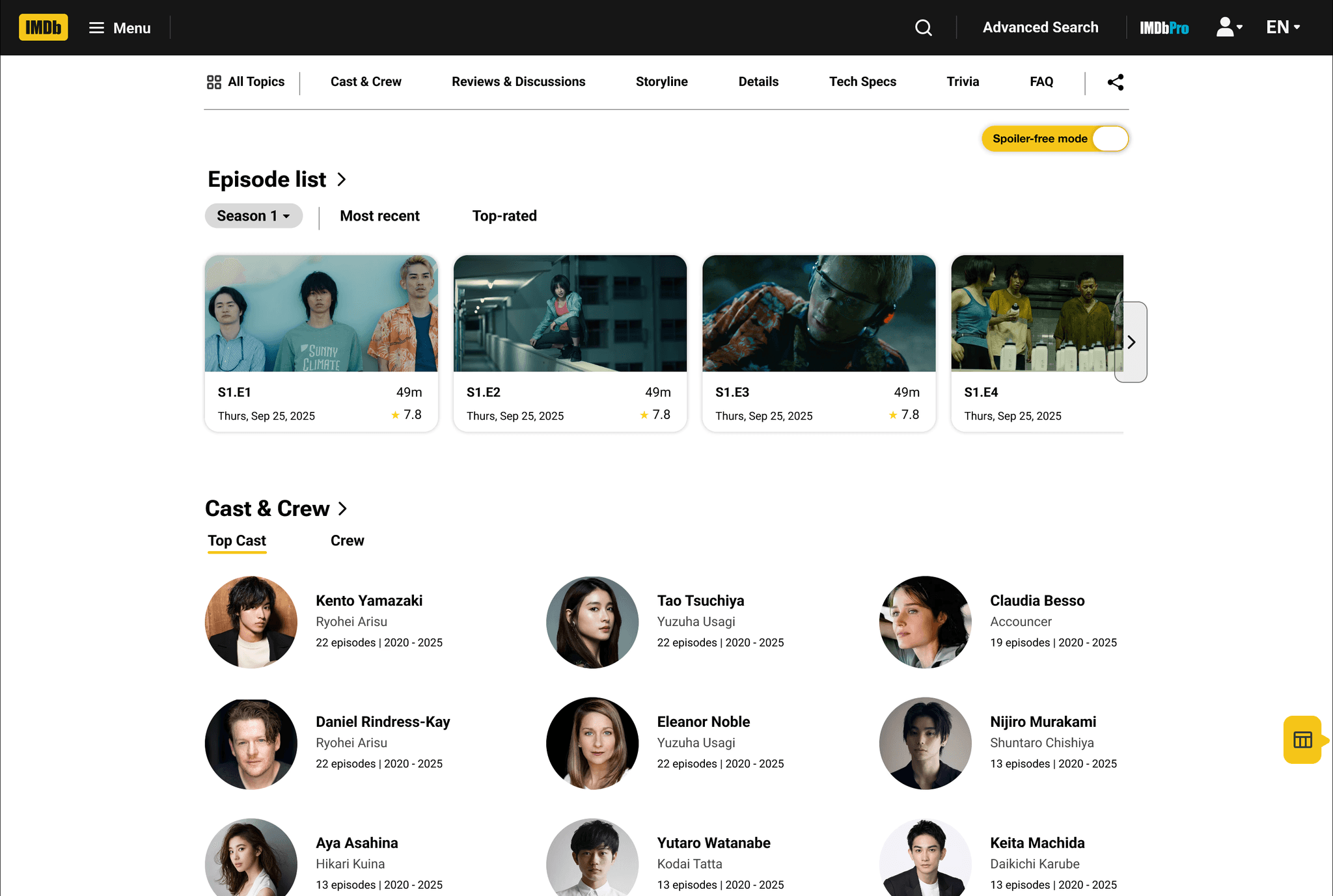
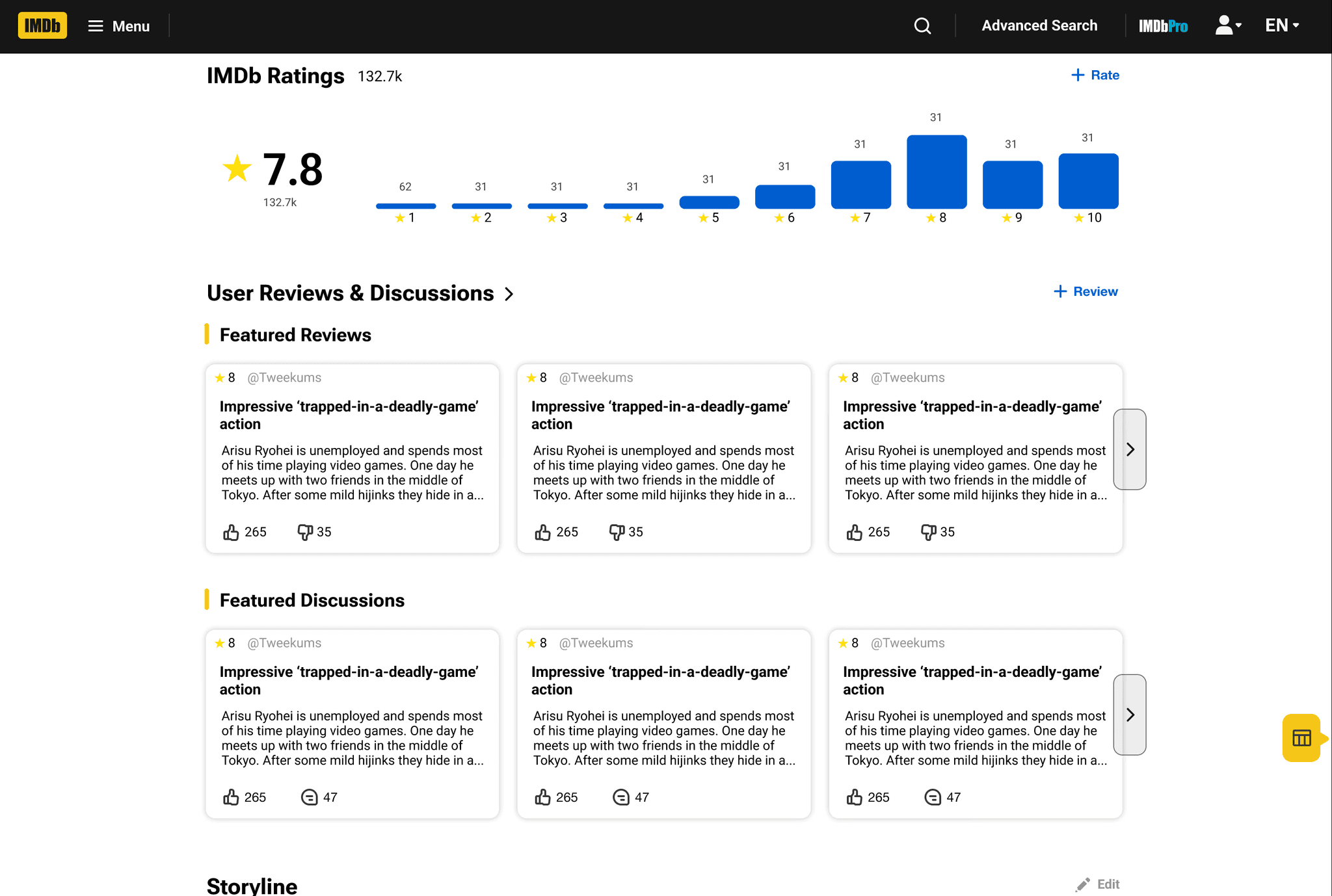
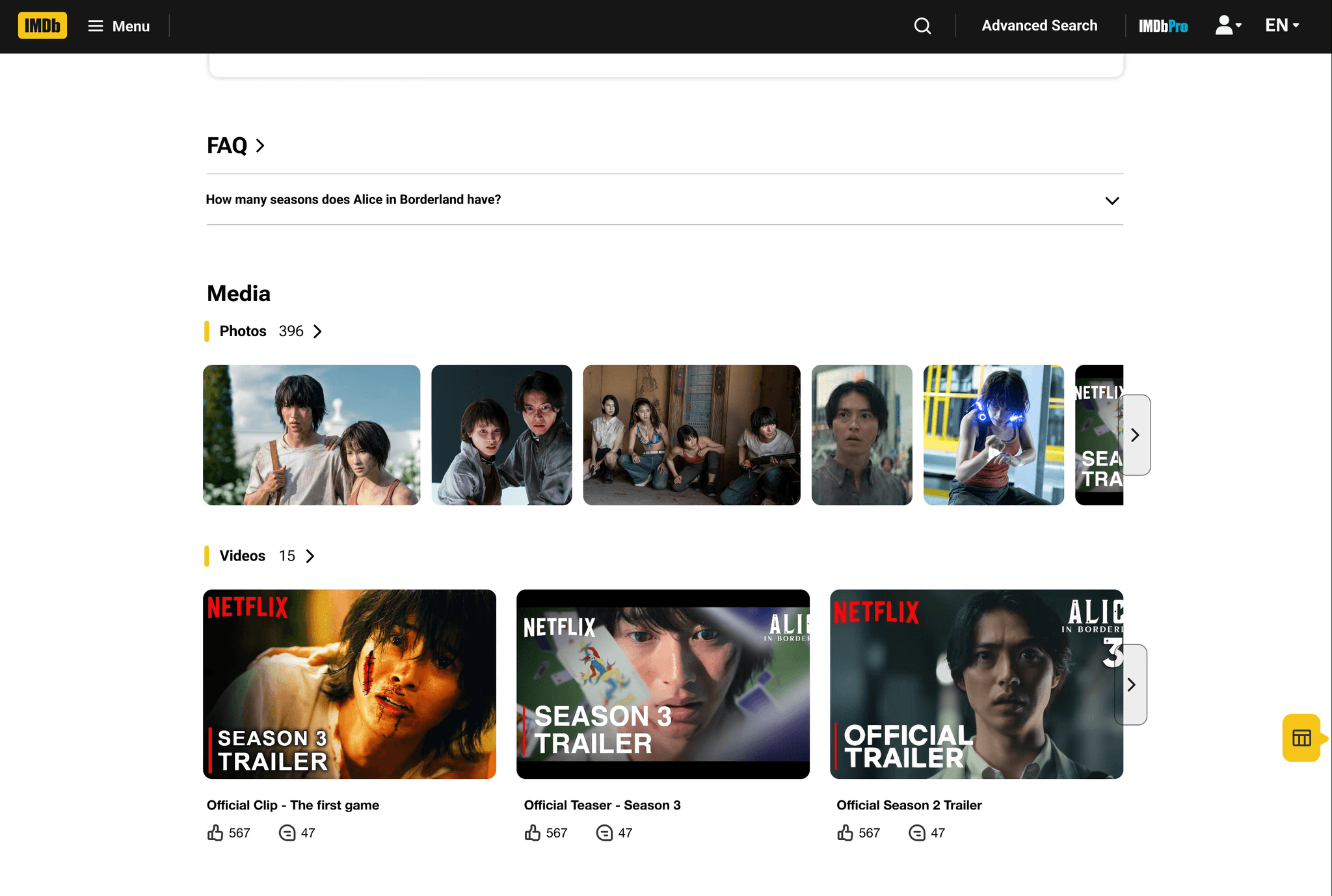
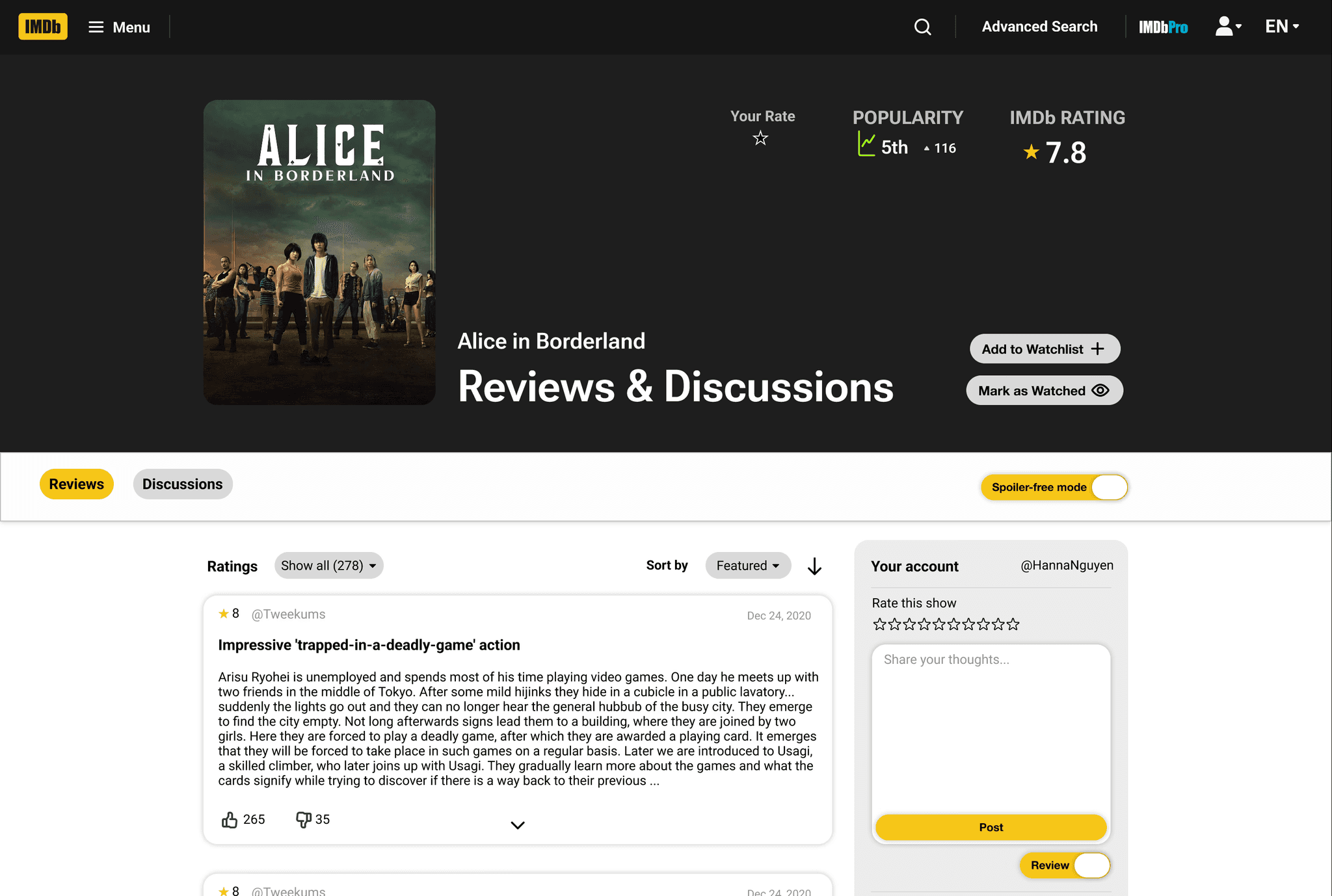
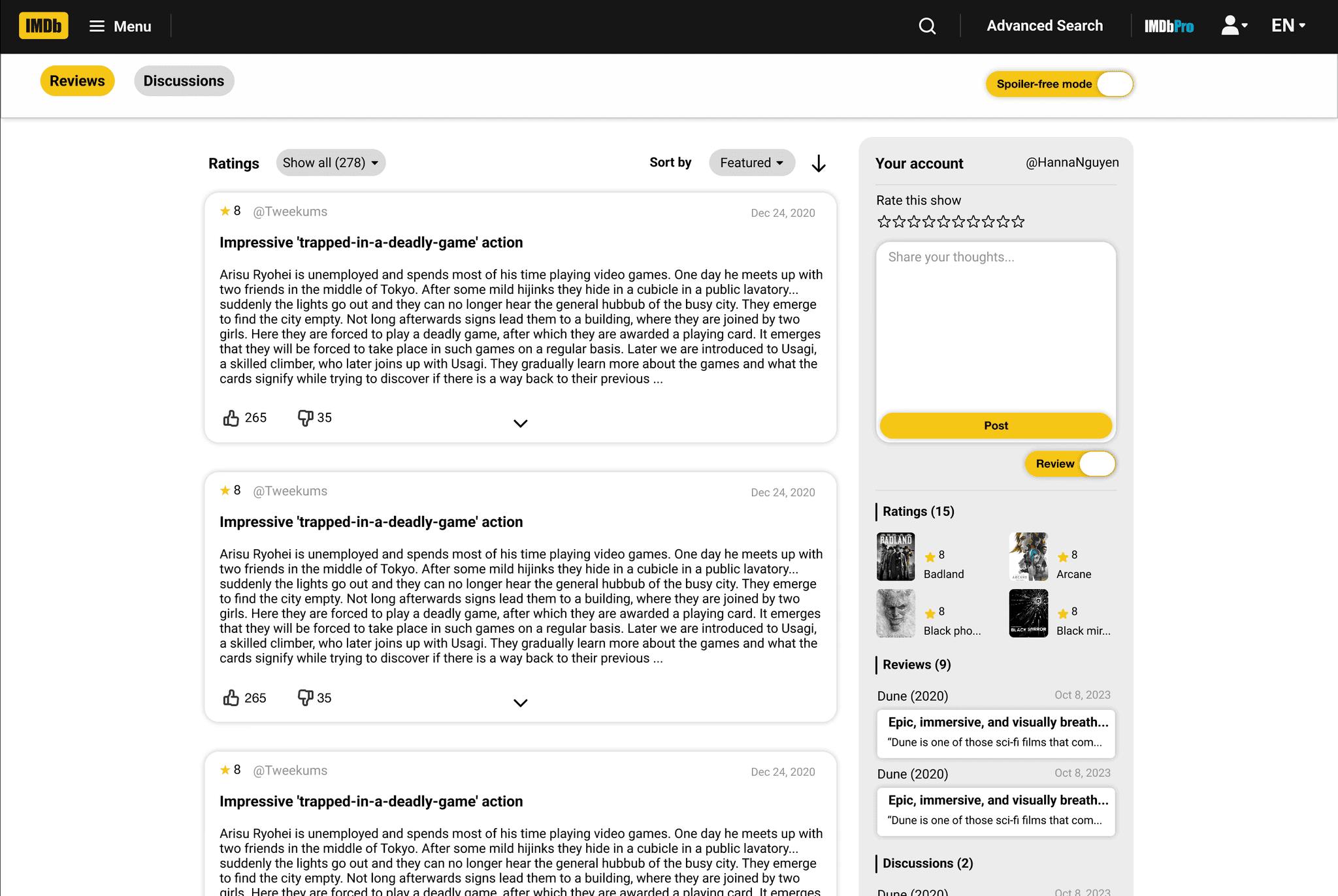
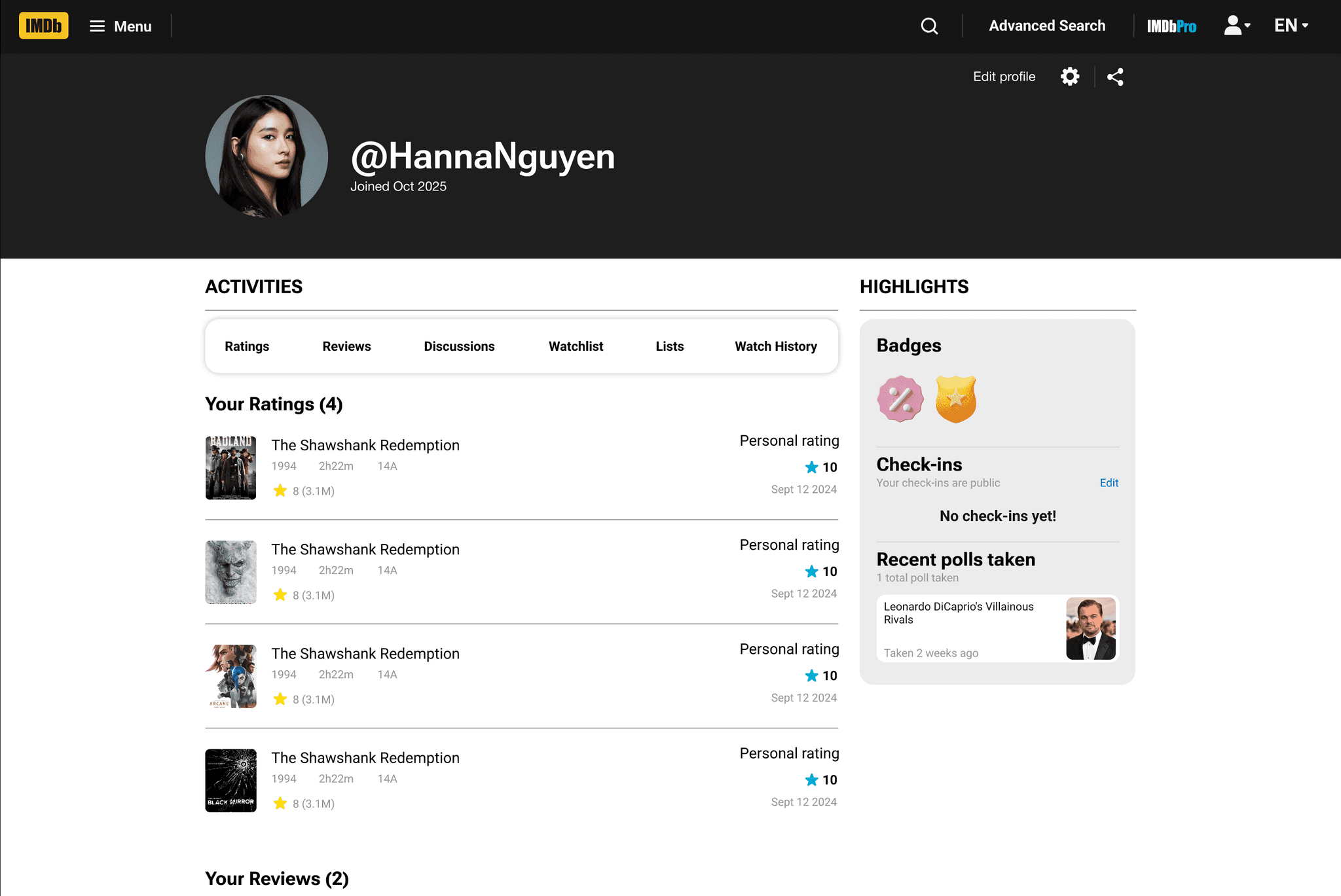
To validate the redesign, I gathered feedback to see what worked, what confused people, and what still needed refinement.
I ran peer reviews with classmates and got feedback from my instructor, and overall the response was really positive - people immediately noticed the clearer flow and improved hierarchy. A few suggestions came up, like making the “Add to Watchlist” button more visible, adding a “Back to Top” button, and introducing breadcrumbs for easier navigation. I couldn’t implement everything within the timeline, but the feedback gave me clear ideas for future refinements. For now, the redesign solves the main usability issues while leaving room for continued improvement.
This project helped me refine my process and make more intentional, user-centered design decisions.
Working through this redesign sharpened how I identify problems and translate them into clearer solutions. Defining pain points early on gave me a stronger foundation for the wireframes and helped me uncover issues I hadn’t initially considered. I also learned the value of establishing the full layout before committing to components - having the bigger picture first made the system more flexible and cohesive.
Testing added another layer of insight, revealing small but meaningful improvements that strengthened the overall experience. Overall, this project pushed me to think more critically, refine my workflow, and approach each decision with more clarity and intention.